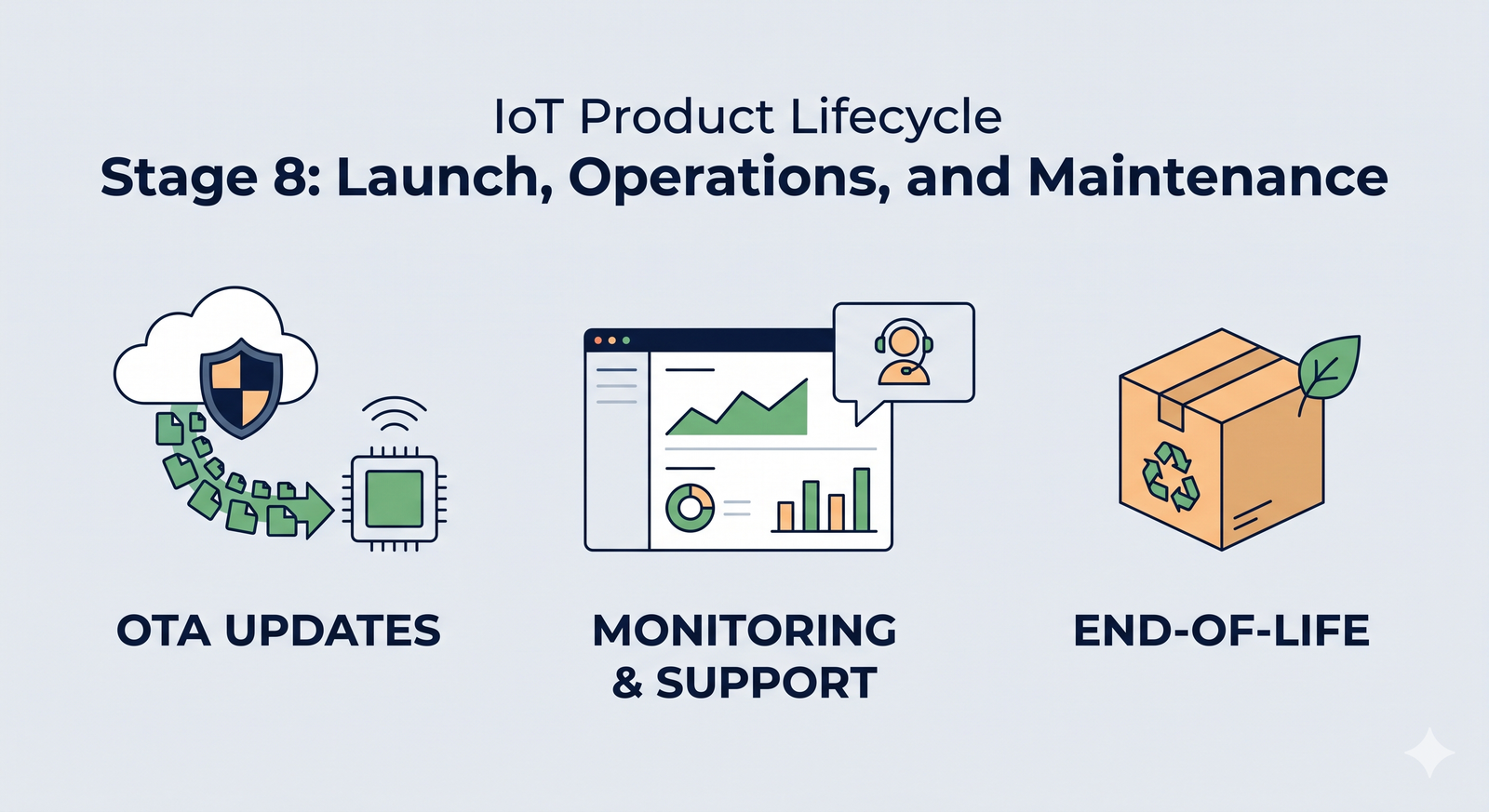
Launch day! You made it from a spark of an idea to a certified, manufactured IoT product. Take a moment to celebrate – that’s a huge accomplishment. But the journey doesn’t end when you ship the first units. In many ways, Stage 8 is the beginning of your product’s life in the wild. This stage covers everything after the launch: how you deploy updates, monitor your fleet of devices, support real users, and eventually retire the product gracefully when its time is up. A successful IoT product requires ongoing TLC (tender loving care) post-launch to keep things running smoothly and customers happy.
In this chapter, we’ll explore the key components of life after the launch button, why they’re important, and how to handle them with confidence and a bit of fun. Let’s dive in!
OTA Updates: Keeping Your Devices Fresh and Safe 🌐
One of the superpowers of IoT devices is that they can improve over time through software. Unlike old-school gadgets that stayed the same forever, IoT products are expected to evolve, get new features, and fix bugs via updates. This magic happens through Over-the-Air (OTA) updates – essentially, beaming new firmware or software to devices remotely. Setting up a robust OTA update pipeline is critical for a modern IoT product’s success. Here’s why and how to do it right:
- Continuous Improvement: Think of OTA updates as your product’s lifeline after launch. They let you roll out new features or performance improvements to delight users long after they bought the device. (Ever had a gadget suddenly gain a cool feature after an update? That’s OTA at work!)
- Bug Fixes & Security Patches: No matter how much testing you did, bugs can slip through, or new security vulnerabilities might be discovered. OTA updates enable you to fix issues on devices out in the field without recalling them. For example, if a critical security flaw is found in your smart home camera, a swift OTA patch can fix it for all users – potentially averting a disaster.
- Reliability with Fail-Safes: When designing your OTA mechanism, make it reliable and fail-safe. Imagine a user’s power or internet cuts out mid-update – you don’t want the device to be permanently bricked (rendered non-functional). A common best practice is to use dual firmware partitions or a similar approach: the device downloads the new firmware to a secondary slot, verifies it, then switches over. If something goes wrong (like a bad update or interrupted download), the device can fall back to the last known-good version. This way, there’s always a safety net and customers aren’t left with dead devices.
- Security First: Always implement updates securely. Updates should be cryptographically signed by you (the manufacturer) so that devices will only accept genuine, trusted firmware. This prevents bad actors from installing malicious software on your devices. Additionally, encrypt the update data in transit. In non-tech speak: lock it up so only the device can read it, and it knows the update definitely came from you. Security builds user trust – nothing will scare your customers more than a headline about a hacker hijacking unsecure IoT gadgets.
- Staged Rollouts: Picture this scenario: you have 10,000 devices in the field. You excitedly push an update to all of them at once… and oops 😨, a new bug in that update causes the devices to reboot endlessly. Now all 10,000 customers are unhappy at the same time. To avoid this nightmare, do staged rollouts. For instance, update a small batch (say 100 devices) first and monitor them for a day or two. If all looks good, update the next 1,000, watch again, then push to everyone. Staged rollouts act like a early warning system – if there’s a problem, only a tiny percentage of users are affected and you can pause the rollout, fix the issue, and then continue.
- Rollback Plans: Even with staging, always have a rollback plan. This means the ability to quickly send out the previous firmware version if the latest update has a serious issue. It’s like an undo button for your product’s software. Knowing you can rollback gives both your team and your users confidence – it’s the safety parachute if an update goes wrong.
Real-world example: Many smartphones and smart TVs update themselves at night. If a bad update slips through, companies often stop the update and sometimes even revert devices to the last version automatically. Your IoT toaster or smart sensor might not be as famous as an iPhone, but your users will appreciate the same level of care and continuity!
In short, OTA updates are your safety net and secret weapon for keeping devices useful, secure, and up-to-date without ever having to physically touch them again. Invest time in a solid OTA system and it will save you countless headaches (and dollars) down the road.
Observability & Monitoring: Keeping a Watchful Eye 👀
Once your devices are out in the real world, you can’t just set them free and ignore them. Think of your deployed IoT devices as a fleet of little explorers sending data from various corners of the world (or your city… or your customers’ living rooms). Observability and monitoring are how you keep a watchful eye on these explorers to ensure everything is working as expected. This component is all about knowing what’s happening with both your devices and the cloud services that support them. Here’s what to consider:
- Device Health Monitoring: It’s wise to have your devices periodically report back on their “vitals.” For example, a device might send health data like battery level, memory or storage usage, signal strength, temperature, or any device-specific metric (e.g., a water sensor might report battery and last test status). By collecting these, you can spot issues proactively. If a sensor’s battery is suddenly draining faster than expected, an alert can flag it and you might discover a firmware issue causing a power drain – and fix it before lots of devices die early. Or if a batch of devices shows temperature readings spiking, maybe there’s an environmental issue or a hardware fault. Essentially, treat each device like a patient that needs occasional check-ups!
- Connectivity and Uptime: Monitor how often your devices are online and communicating. If a device goes offline for an unusual length of time (say, more than an hour or a day, depending on normal behavior), that could indicate a problem: maybe it lost network connectivity, got damaged, or the user unplugged it. Setting up alerts for offline devices helps your support team proactively reach out or investigate (“Hi Customer, we noticed your smart sprinkler hasn’t checked in for two days – is everything okay?”). This level of attentiveness can impress customers, showing that you’re on top of things.
- Cloud and Server Monitoring: Your IoT devices usually talk to some cloud service or server. It’s equally important to watch the cloud side. Use logging, dashboards, and alerts to track things like server CPU/memory usage, database performance, API response times, and error rates. If the error rate on an API suddenly doubles, something might be wrong with recent code or there’s a spike in usage. Monitoring helps you catch these hiccups early before users flood your support line saying “the app is super slow” or “my device isn’t syncing data.” Many IoT platforms provide fleet dashboards that show how many devices are connected, active, or if any are reporting errors. Consider also having a public status page if you offer a service – it’s a transparency tool so your users can check if there’s a known outage or maintenance window.
- Scaling and Performance: Monitoring isn’t just about catching problems – it’s also about planning for success. If your user base is growing, great! But can your infrastructure handle it? Keep an eye on capacity. It’s much nicer to proactively scale up your database or servers because you see growth trends, rather than have everything grind to a halt one day because, surprise, 10× more devices came online than yesterday. (Nice problem to have, but still a problem if you’re unprepared.) With good observability, you’ll see the traffic or load increasing and can respond by beefing up resources or optimizing code.
Imagine this: Your company releases a smart home hub, and suddenly a popular YouTuber gives it a stellar review. Overnight, thousands of new users come online. If you’ve got monitoring in place, you’ll notice the surge in connections and perhaps increased latency on your servers. Instead of waking up to a crashed system, you’ll get an alert when things approach a redline and can scale up – all while most users happily use the product unaware of the behind-the-scenes heroics. That’s the beauty of observability: when done right, the best drama is the drama that never happens because you caught it early!
To sum up, keeping a close eye on device health and cloud performance is like being an air traffic controller for your IoT fleet – guiding each plane (device) and making sure the whole system runs without a hitch. It’s a continuous responsibility, but it pays off in reliability and user satisfaction.
Customer Support & Feedback Loop: Listening to the Real World 📢
Now that real users are interacting with your product daily, you’ll start getting a wealth of feedback from the field. Some of it will be praise (“This smart lamp is amazing!”), some will be bug reports (“It disconnects every night at 2am…”), and some will be feature requests (“Can it also do X?”). How you handle this feedback and support your customers is a make-or-break factor for your product’s reputation and ongoing success.
Here’s how to establish a strong support and feedback loop:
- Set Up Clear Support Channels: Make it easy for users to reach you or find help. This could be a support email, a ticketing system on your website, a community forum, a chatbot, or even social media channels dedicated to support. For a consumer IoT product, maybe you have a help center and a support email. For an enterprise IoT system, you might have a dedicated account manager or phone line. The key is being accessible when users need help or have questions.
- Timely and Helpful Responses: Especially early on, every user’s issue is important. Respond promptly to support requests, even if it’s just to say “Got it, we’re investigating.” People are generally patient if they know they’re heard. Use what you learned in Stage 7 (Testing & certification) to troubleshoot issues – some might be user error, some might be real bugs you missed. Either way, guiding users and fixing their problems builds trust. A friendly, helpful tone goes a long way (think of how you’d want a company to talk to you if you had an issue).
- Capture Feedback Systematically: Don’t let those feature ideas or complaints vanish into a black hole. Set up a way to log them – for example, maintain a product backlog or spreadsheet for feedback, or use a tool (there are product management tools where you can tag and track user requests). This way, you can spot trends (if 50 users all request the ability to have your smart speaker do “X”, that’s a strong signal!). It also helps in prioritizing what to improve next.
- Feed It Back Into Development: Now that you have real-world input, loop it back into your development cycle. In agile methodology, your backlog is a living thing – and now it’s going to have new items from real users. Perhaps customers are finding a particular feature hard to use, so you decide to tweak the UI in the next update. Or users collectively suggest a new use case you never thought of – that might become a marquee feature in version 2 of the product. For example, suppose you launched a smart thermostat and users keep asking if it can also control a fan. That might inspire an add-on feature or at least an entry in the “nice-to-have” list for future products.
- Community and Documentation: As your user base grows, you might find it useful to create a community forum or FAQ where common issues and fixes are documented. Sometimes power users or early adopters will even help answer questions for others. Encourage that! A good documentation site or even short how-to videos can reduce the support burden by helping users help themselves. But also keep an eye on community discussions – they can surface issues or ideas quickly.
- Learn from Defects and Returns: If a device is returned or reported defective, treat that as golden feedback too. Do a little CSI investigation on it. Was there a batch of bad components from manufacturing? Did a part wear out or break because of a design flaw? For instance, maybe you find out that 5% of your smart locks have a motor that fails in cold weather – that’s critical info for a hardware revision or a firmware adjustment. Feeding these findings back to your engineering and manufacturing teams will help improve product quality in the next iteration.
The goal here is to create a virtuous cycle: user feedback -> improvements -> happier users -> more positive feedback -> and so on. By actively listening and iterating, you not only make your current product better, you also build trust with your customers. They’ll feel like you have their back and are continuously working to give them a better experience.
Remember, launching the product isn’t the finish line; it’s the start of a new phase where your users become an integral part of the development team (in a sense). Embrace their voices. Some of the best product ideas come from the people using them in ways you never imagined!
Maintenance Releases: Polishing and Upkeep 🔧
After the big launch, and once users are aboard, you’ll likely shift into a rhythm of maintenance releases. These are smaller updates compared to the massive initial development push, but they are vital for keeping the product running smoothly and users satisfied. Maintenance releases typically include bug fixes, minor improvements, security patches, and the occasional small feature tweak.
Why plan for maintenance releases? Because software is never truly “done.” Issues will pop up that weren’t caught before, and technology around you will change (maybe a phone OS update requires your app or firmware to adapt). It’s good to be prepared:
- Regular Cadence vs. As Needed: Decide if you’ll have a regular schedule (e.g., a patch every month or quarter) or just push updates as needed. A regular cadence can be nice because users know when to expect updates (like how your laptop might get a monthly security update). On the other hand, for critical fixes (e.g., a severe security vulnerability), you’ll want to release as soon as the fix is ready. Often, a mix of both is used: critical hotfixes ASAP and routine minor updates on a predictable schedule.
- Resourcing: Plan and budget resources for maintenance. It’s common that the main development team starts to move on to the next big project or version 2.0 after launch. However, you should always have someone (or a small team) in charge of maintaining the launched product for at least the promised support period. This might be a subset of the engineers who rotate on support duty, or a dedicated sustaining engineering team. They’ll triage incoming bugs, work on those patches, and verify that updates don’t break anything.
- Scope Management: Maintenance updates usually focus on quality more than new features. It’s tempting to keep shoveling in cool new ideas, but remember that existing customers value stability. So, you might prioritize fixing that occasional device freeze or improving connection stability over adding a brand-new feature mid-cycle. New features are great, but if half the users are dealing with a pesky bug, squashing that bug should likely come first.
- Testing Maintained Updates: Even though these updates are “small,” run them through your testing process (Stage 7’s lessons) diligently. Sometimes a one-line change can have surprising ripple effects. Don’t skip regression testing just because it’s “only a minor fix.” It saves you embarrassment and customer frustration.
- Communication: When you do release an update, communicate it (if applicable) to your users. Release notes, no matter how brief, are appreciated. For example: “Version 1.0.3 – fixed Wi-Fi reconnection bug, improved battery life estimation, and added Portuguese language support.” It doesn’t have to be marketing fluff – just clear info so people know their device got even better (or at least more reliable).
By planning for maintenance, you demonstrate that your product isn’t a fire-and-forget endeavor. Users will feel reassured knowing their purchase stays supported and improves over time. It’s like giving your product regular oil changes and tune-ups so it continues humming along nicely.
End-of-Life Planning: Graceful Goodbyes 💤
It might sound odd to think about the end right when you’ve just launched, but part of responsible product management is considering the full life cycle of your IoT product. Eventually – whether it’s in a few years or a decade – your product will reach an End-of-Life (EOL) stage. This could be due to a newer model replacing it, market changes, or key components becoming obsolete. Planning for EOL from the start ensures that when the time comes, you handle it thoughtfully, minimizing negative impact on your users and the environment. Here’s what to keep in mind for a graceful product retirement:
- Customer Notification: Decide how you will inform customers that the product or its cloud service is being retired. No one likes sudden surprises. Will you send an email to all users? Post an announcement on your website or in your app? Provide a year’s notice or a few months? Setting expectations is crucial. For example, “We will be discontinuing support for the XYZ Hub as of December 2026” – and do this well in advance so people aren’t caught off guard.
- Support Timeline: Typically, companies promise support (like firmware updates or customer service) for a product for a certain number of years. Ensure you meet those commitments. Even after you stop selling the device, you might continue to maintain the cloud service or issue critical patches until the EOL date. Plan resources for that tail period.
- Data and Service Migration: If your IoT product has a cloud component that’s shutting down, what happens to user data? It’s a good practice to offer a data export or migration path. For instance, if you have weather sensors that log data to your cloud, provide users a way to download their historical data before the service goes dark. If you’re releasing a new product or moving to a new platform, help users transition their data or accounts if possible. Nothing builds goodwill like helping customers not lose their valuable data.
- Local Functionality vs. E-Waste: Consider what happens to the physical devices when the cloud service ends. Will they still have any functionality, or do they become paperweights? It can be a thoughtful touch (and PR win) to design a “graceful degradation” mode. For example, maybe your smart home hub can still do basic local operations even after cloud support ends, or a smart camera could still work on a local network. If devices will truly stop working, be upfront about it and perhaps offer a discount on an upgraded product or an open-source firmware alternative if enthusiasts want to keep it alive. The key is to avoid the scenario where customers feel their expensive gadget suddenly turned into useless junk overnight.
- Environmental Responsibility: IoT products often contain batteries and electronic components that shouldn’t just be tossed in the trash. As part of EOL, consider including guidance on recycling or disposal. Some companies even set up take-back programs (e.g., you send the old device back to them for proper recycling, sometimes in exchange for a coupon or just as a service). At minimum, provide info: “This device contains a lithium battery and should be recycled according to local electronics recycling programs.” This demonstrates responsibility and can earn respect from eco-conscious users.
- Component Obsolescence Management: From an engineering perspective, keep an eye on the components inside your device throughout its life. Manufacturers of chips and sensors will sometimes issue notices if a part is becoming NRND (Not Recommended for New Designs) or is approaching end-of-life. If you catch wind that, say, the Wi-Fi module you use will be discontinued next year, you have decisions to make: buy a last stockpile to cover future warranty replacements? Spin a product revision with a new module? Or perhaps that aligns with sunsetting the product. Keeping tabs on this ensures you’re not caught in a situation where you suddenly can’t produce or repair your device due to a part going extinct.
Why go through all this trouble for EOL? Because handling the end of a product responsibly maintains trust with your customers. There have been cases in the tech world where companies abruptly shut down a smart product’s service, instantly bricking devices and angering users. You don’t want to be that company. Instead, by communicating early, offering options, and wrapping things up with care, you turn a potentially sad moment into one of mutual respect. Your customers will remember that, and it influences whether they buy from you again or recommend your next product.
Transition to Operations Mode: Nurturing Your Product 🌱
By Stage 8, you’ve effectively transitioned from “build mode” to “operations mode.” In the early stages, your focus was on designing, developing, and manufacturing the product. Now the focus shifts to running and maintaining the product in the real world. This transition often comes with changes in team structure and mindset:
- Team Shuffle: You might spin up a dedicated Ops/SRE (Site Reliability Engineering) team or a DevOps group that watches over the cloud infrastructure and device fleet. Meanwhile, the core development team might already be prototyping the next big thing. There should be some overlap though – it’s valuable to have developers on-call or at least available to consult when tricky issues from the field arise, since they know the guts of the system.
- Processes and Playbooks: In operations mode, having processes is key. Create playbooks for common situations: “If a device is reported offline, do X”, “If the server error rate goes above Y, do Z”, “If an update bricks a device, here’s how to recover it.” These are learned over time and documenting them turns mishaps into easily tackleable tasks. It reduces panic and guesswork when something eventually goes wrong at 3 AM on a Sunday (because, Murphy’s Law, it will).
- Mindset Shift: During development, the mantra was probably “ship the product!” Now the mantra becomes “keep the product running smoothly!” It’s a bit like the difference between building a rocket and then mission control taking over to monitor its journey. Your perspective broadens from one-off tasks to ongoing vigilance. Some team members might prefer this steady, careful ops work; others might find it tedious and move to new development – that’s natural. But everyone should appreciate that this phase is as important as the launch. A poorly managed product can tarnish all the hard work put into building it.
Think of it like raising a child. The birth (launch) is a huge milestone and worthy of celebration, but the child (product) still needs nurturing through its life. You don’t just leave a newborn on its own after leaving the hospital, right? 😄 Likewise, your IoT product needs care and attention as it grows in the customer’s hands.
Why Stage 8 Matters for Long-Term Success 🏆
By following best practices in this post-launch stage – robust OTA updates, vigilant monitoring, responsive support, planned maintenance, and thoughtful end-of-life strategy – you dramatically increase the chances of your product being seen as reliable, high-quality, and customer-friendly over the long haul. When Stage 8 is done right, users might not notice all the work you’re doing behind the scenes (and that’s a good thing, because it means things just work!). However, they will definitely notice if Stage 8 is done poorly: devices that don’t get fixes for annoying bugs, outages with no communication, products that get abandoned without warning… those are the things that make headlines and hurt reputations.
Conversely, a well-run IoT product will have users saying, “Wow, this thing just keeps getting better!” or “Even two years later, they’re still updating and supporting it. Money well spent.” That kind of goodwill translates into brand loyalty, positive reviews, and repeat customers for your next product.
And with that, our IoT development journey comes to a close. From a simple concept all the way to maintaining a living, breathing product in users’ hands – you did it! 🎉 Congratulations on reaching the finish line… or rather, the new start line of product operations. It’s been a long road through stages 1 to 8, and now you know what it takes not just to build an IoT product, but to support it through its lifespan.
Before we wrap up this guide, in the next section we’ll tackle a couple of common questions and pro tips that cut across all these stages. But for now, give yourself a pat on the back for coming this far. Onward to a successful launch and a smooth post-launch life for your IoT creation! 🚀🏆