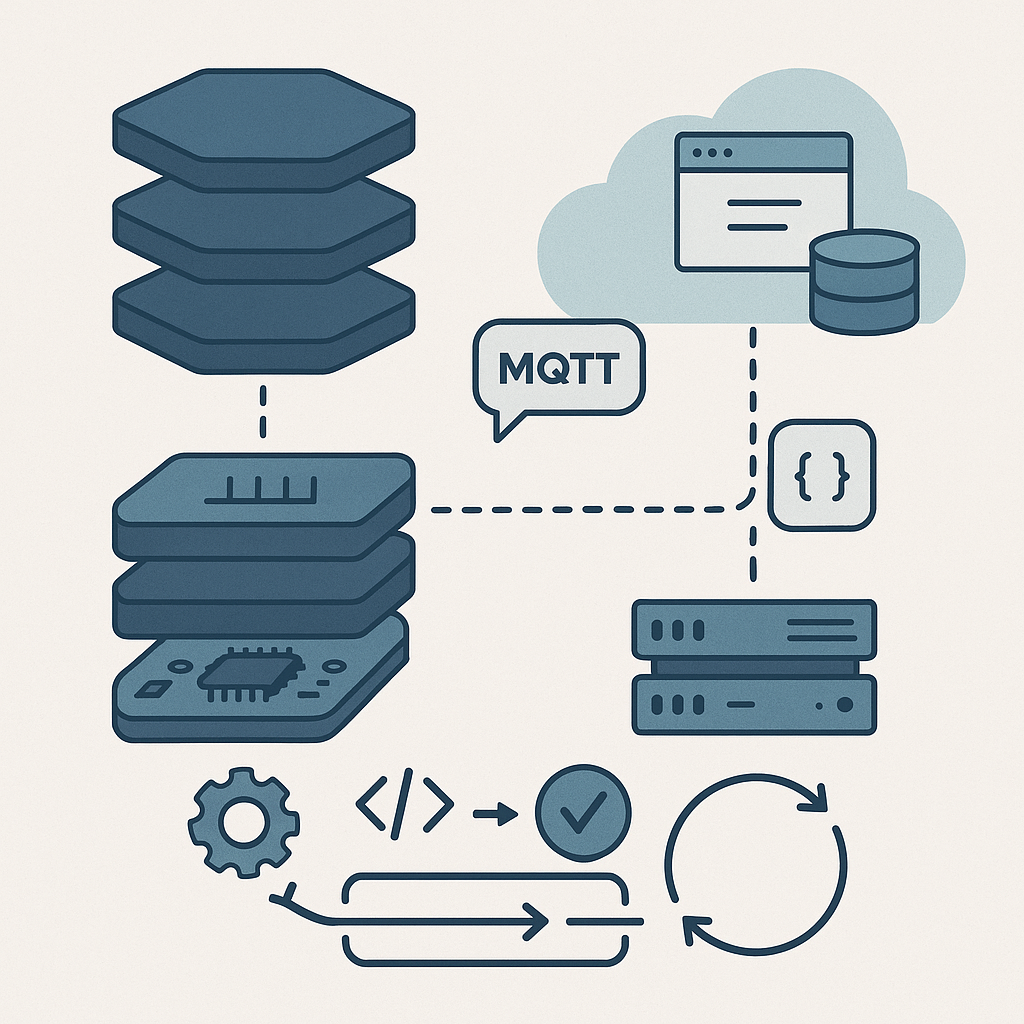
Welcome to the right-hand side of the V! In the classic V-model of product development, the left side is about design (which we tackled in previous stages) and the right side is about implementation and testing. In Stage 4, we dive into developing the firmware (the software running on your IoT device) and the cloud software (servers, databases, APIs, user interfaces) that together bring your product to life. Unlike hardware development, which is relatively inflexible once printed on a circuit board, software development is highly iterative and agile. In fact, you may have already written bits of firmware back in Stage 3 while testing your hardware design. Now it’s time to ramp that up. The beauty of software is that it’s like clay – easy to mold and change on the fly – so we can iterate quickly and refine continuously. This stage will run in parallel with any remaining hardware work, each informing the other as needed.
Stage 4 can be thought of in two main parts: first planning the software architecture and design (to set a strong foundation), and then an ongoing cycle of development sprints where we build, test, and repeat until the software is solid. Let’s break it down.
4.1 Software Architecture & Design
Before everyone jumps into coding like there’s no tomorrow, it’s wise to sketch out a game plan for the software architecture – for both the firmware on the device and the cloud components. Think of this like planning a road trip. You wouldn’t just start driving without a map; similarly, we sketch out the major components and how they interact before we write thousands of lines of code. This is analogous to the system architecture we did in Stage 2, but now at the code level. Good software architecture planning will save you from the dreaded “spaghetti code” monster later on. Here are the key things to establish in this phase:
Firmware Architecture (Layered Approach and RTOS Considerations)
Define the structure of your embedded code by layering it. A common approach in firmware is a layered architecture, which helps organize code logically and makes it easier to maintain. For example, at the lowest level you might have a Board Support Package (BSP) or hardware abstraction layer – this contains low-level drivers specific to your microcontroller and hardware peripherals. Above that, you might have device drivers or modules for your sensors and actuators (handling things like reading a temperature sensor or driving an LED). Above the drivers, you could have a services layer – this might implement communication protocols, data processing algorithms, or other logic that processes the raw data. Finally, at the top, you have the application layer, which is the brains of your device: it ties everything together to fulfill your product’s purpose (e.g. reading sensor values, making decisions, sending data to the cloud, and reacting to commands). Consider drawing a simple diagram (UML component diagram or even just boxes and arrows on a whiteboard) to visualize these layers. This helps everyone on the team understand the separation of concerns – like building a house with a foundation, framing, and roof, each layer has its job.
Another big architectural decision on the firmware side is whether to use an RTOS (Real-Time Operating System) or not. An RTOS is like having a small operating system on your device that can run multiple tasks seemingly at the same time (via scheduling). If your device only does one thing at a time, you might not need an RTOS. But most IoT gadgets have a lot going on concurrently – for example, reading sensors periodically, listening for incoming messages (from cloud or user input), updating a display or LED, and handling network communication. With an RTOS, you can design your firmware as a set of tasks or threads. For instance, you could have one task dedicated to sensor sampling, another dedicated to handling communications (sending data or receiving commands), and another for housekeeping or user interface updates. As part of your architecture design, outline these tasks and how they will communicate with each other – common mechanisms include message queues, event flags, or shared data protected by mutexes (to avoid conflicts). Deciding this early will help ensure your firmware doesn’t become a tangle of interwoven code where everything depends on everything else (a.k.a. spaghetti code). Instead, you’ll have clear interfaces: maybe the sensor task puts new readings into a queue, and the communication task picks them up to send to the cloud. If you design these interfaces clearly now, coding will be much smoother and you’ll thank yourself later when it’s time to troubleshoot or extend the firmware.
Why all this architectural fuss for firmware? Because it makes your life easier down the road. With a good layered design and task structure, you can modify one part (say, swap out a sensor driver or tweak an algorithm) without breaking everything else. It also makes it easier for multiple developers to work together without stepping on each others’ toes – one person can develop the sensor driver while another works on the cloud communication code, as long as you’ve agreed how those parts interface (e.g. the data format of a sensor reading message). In short, a little planning here helps avoid a lot of pain later.
Cloud Architecture (Server, Database, and Application Structure)
Now let’s consider the cloud side. The IoT device doesn’t live in isolation – it’s usually talking to some cloud service or server. Similar architectural thinking is needed here: sketch out the major components of your cloud software. For example, you might have an API server that receives data from devices and also serves requests from user applications. There will likely be a database where you store device data (sensor readings, device statuses, user info, etc.). There may be additional services or microservices doing data processing or analytics – for instance, analyzing the data for anomalies, triggering alerts or actions when certain conditions are met (e.g. send an email if a temperature reading is too high), or performing aggregations for reporting. On top of this, consider the client applications: perhaps a web dashboard or a mobile app that users interact with. Those clients will communicate with the server (often via the API) to display data and send user commands (like a user pressing a button to turn on their IoT light bulb from their phone).
It’s helpful to draw a diagram of this ecosystem – the C4 model (Client-Container-Component-Code) is a popular way to diagram software architecture. At least draw the Container level: show the device, the server, the database, and the client app, and how data flows between them. For example, your diagram might have an arrow from Device to Cloud API (“sends sensor data via HTTP/MQTT”), an arrow from Cloud to Database (“stores data”), and an arrow from Client App to Cloud (“user requests data or sends command”), and so on. This visual map ensures everyone (firmware developers, cloud engineers, frontend developers, etc.) has a clear mental model of how things connect. It’s much easier to discuss and catch design issues early with such a diagram in hand. Perhaps you discover in this stage that you need an additional component – for instance, a message broker or IoT platform service – to handle scaling to many devices. Better to think of it now than when you’re deep in coding.
One more aspect: think about scalability and reliability in your cloud design. If you expect 100,000 devices connecting eventually, can your chosen database and server design handle it? If a server goes down, what happens (do you have redundancy)? Those details might be fleshed out more in a later stage, but the high-level design should account for major concerns like that up front. For example, you might decide to use a cloud IoT platform (AWS IoT, Azure IoT Hub, etc.) instead of building everything from scratch, which would become part of your architecture decision.
Communication Protocols & Data Formats (Device-Cloud Communication)
An IoT product inherently involves communication between the device and the cloud. Part of the software design is deciding how they talk to each other and in what language (protocols and data formats). There are a few common protocol choices in IoT: for example, will your device use MQTT, HTTP/REST, CoAP, or maybe something like WebSockets? Each has its pros and cons. MQTT is a lightweight publish/subscribe protocol great for IoT because it’s efficient and works well over unreliable networks – many IoT systems use it for device-to-cloud messaging. HTTP/REST is very common and easy to test (since you can hit it with standard web tools) but might have a bit more overhead per message. CoAP is a specialized IoT protocol similar to a lightweight HTTP, often used in constrained networks. The key is to choose one that fits your device’s capabilities and your cloud infrastructure. For example, if you have a super constrained device (8-bit microcontroller on battery), maybe MQTT or CoAP is better than HTTP. If your device is pretty capable (like running Linux or similar), HTTP/REST could be fine and more straightforward.
Once the protocol is chosen, design the data format for messages. Many projects use JSON because it’s human-readable and easy to work with (most languages have JSON parsers). For instance, a temperature reading message in JSON might look like:
{ "device_id": "ABC123", "timestamp": 1692124800, "temperature_c": 22.5 }
This clearly lays out fields. JSON is a tad verbose though, so if your device needs to send data super efficiently (think thousands of messages or very low bandwidth), you might use a binary format (like Protocol Buffers, CBOR, or a custom binary scheme) to save bytes. The design choice here will affect both firmware and cloud: both sides must agree on the protocol and format. It’s a bit like agreeing on a language before starting a conversation – if the device “speaks” MQTT+JSON and the server expects something else, they won’t understand each other.
A helpful tool at this stage is to draw a sequence diagram or just write out an example sequence of communication. For example: “Device takes a sensor reading, formats a JSON payload, sends it via MQTT to topic X; Cloud broker receives it, the cloud service processes and acknowledges it, then stores it in the database; later, a user requests data via the app, the cloud API fetches from the database and returns JSON to the app.” Writing this flow out ensures everyone (the firmware dev and cloud dev, especially) are literally on the same page about how the data moves around. It can prevent miscommunications like “Oh, I thought we were using UNIX timestamp in seconds, not milliseconds” or “Were we compressing the data or not?”. Catch those now in design, it’ll save debugging time later.
Coding Standards and Team Tools (Quality from the Start)
Now, let’s talk about how we will write code and collaborate, because having the whole team follow common practices is super important. Agree on coding standards for each part of the system. For embedded C development, many teams adopt MISRA-C guidelines – that’s a set of rules for the C language aimed at avoiding unsafe or bug-prone constructs (originally from the automotive industry, but widely useful in any critical firmware). If you’re using C++ in firmware, you might decide which features of modern C++ are allowed or banned (to keep things safe for embedded systems – for example, maybe avoiding dynamic allocation at runtime, etc.). For higher-level languages on the cloud side like Python, you’d probably follow PEP 8 style guide, and for JavaScript/TypeScript maybe use a linter with the Airbnb style or whatever is standard. The goal isn’t to be nitpicky, it’s to ensure consistency and catch common pitfalls. When everyone writes in a consistent style, the codebase feels like one product rather than a patchwork, and it’s easier to read and maintain code written by someone else on the team.
In addition to coding style, choose the tools and infrastructure the team will use. This includes version control and repository setup (almost certainly Git – if you’re not already using it, definitely do, as it’s the backbone of collaborative coding). Decide on the branching strategy: will you use a simple trunk-based development, or GitFlow with feature branches, etc.? Also, set up an issue tracking system if you haven’t (like Jira, Trello, Asana, or GitHub Issues) to manage the tasks and user stories in your sprints. It’s also a good time to set up the Continuous Integration (CI) pipeline: choose a CI service (GitHub Actions, GitLab CI, Jenkins, CircleCI, etc.) and configure it to automatically build and test your code whenever changes are pushed. We’ll talk more about CI in the next section, but the architecture stage is where you make sure all developers have access to these tools and know how to use them.
Another part of “code culture” is deciding on things like code review practices – e.g., will every pull request require at least one other developer to approve it? Setting these expectations early is healthy. It might feel formal, but it saves you from scenarios where someone’s unreviewed code introduces a nasty bug or security hole that others only catch much later. By agreeing that “we always do code reviews, follow the style guide, and run the tests before merging”, you instill a quality mindset from day one. Modern development is as much about team collaboration and discipline as it is about coding genius.
Finally, remember that this Stage 4.1 planning is not about drawing pretty diagrams no one ever looks at – it’s about giving the team a shared understanding and a technical roadmap. It’s like planning a road trip route and packing a map: you know where the big turns are and how you’ll navigate, but you can still be flexible with pit stops or detours. Spend a reasonable amount of time on this architecture design, but don’t aim for perfection or detail every last function. You want just enough design that people can start coding in a coordinated way. With this foundation laid, you’re ready to jump into development with confidence.
4.2 Development Sprints – Iterate and Conquer
With the architecture blueprint in hand, now the fun begins – writing code, testing it, and seeing your IoT product actually do stuff! We approach this in iterations, typically using sprints as in Agile methodology. A sprint is a short, fixed-length cycle (commonly 2 weeks, but it could be 1 week or up to 4 weeks depending on your team’s preference) where the team commits to delivering a set of features or improvements by the end. The idea is to break down the massive job of “develop all the software” into bite-sized chunks that we can steadily tackle and make tangible progress on.
This iterative approach has huge benefits: it forces continuous integration of components (so firmware and cloud software are tested together frequently), and it gives you many opportunities to get feedback and adjust course if needed. It’s much better than coding for 6 months and only then trying to see if it all works (which is a recipe for unpleasant surprises). Let’s see how a typical sprint cycle might look for our IoT product development:
Sprint Planning & User Stories
Each sprint starts with a Sprint Planning meeting. The team looks at the product backlog – this is the master list of all features, fixes, and tasks to be done, which was initially derived from the requirements we gathered back in Stage 1 (and added to as we learned more in later stages). In planning, the team selects a set of user stories or tasks from the backlog to tackle in the sprint, based on priority and the team’s capacity.
A user story is a bite-sized description of a feature from an end-user’s perspective, often following the template “As a <user type>, I want <some ability> so that <benefit>.” For example, one story might be: “As a user, I want the IoT device to send temperature data to the cloud every 10 minutes, so I can monitor my room’s temperature remotely.” From this story, the team will figure out what needs to be done on both the device and cloud side: perhaps on the device firmware, we need to read the temperature sensor and send an MQTT message every 600 seconds; on the cloud, we need an API or message handler to receive that data and a place to store it, and maybe a simple interface to display it.
During sprint planning, the team discusses each chosen story to nail down the acceptance criteria – basically, how do we know when this story is “done” and working? For the above example, criteria might be: “Given a device with a temperature sensor, when it runs for 10 minutes, at least one temperature reading should be visible in the cloud database and on the user dashboard.” Being specific helps the team understand exactly what to build and how to verify it. This is the time to ask questions and clarify details. It’s much better to iron out ambiguities now than to discover later that firmware and cloud folks had different assumptions (like one developer thought it was every 10 minutes when active, another thought it was always, etc.). Once planning is done, everyone should know what chunk of work they’re responsible for in the coming sprint.
Implementation & Continuous Integration (CI)
Now we get down to implementation – writing the code to make those user stories come to life. Developers will start coding the firmware features and cloud features identified for the sprint. A key best practice here is to also write automated tests for each new feature as it’s developed. For firmware, this might include writing unit tests for logic that can run on a host machine (for example, if you have a function that parses a sensor reading or a state machine for the device, you can often write a PC-based test for it). For cloud software, it’s usually easier: you can write unit tests for your functions, and integration tests for your APIs.
As developers write code, they check it into the version control (Git). This is where our Continuous Integration (CI) setup shines. With CI, every time code is pushed or a pull request is opened, an automated build is kicked off on a CI server. The CI will compile the firmware code (perhaps in multiple configurations if needed), run any unit tests you have, and perhaps even deploy the firmware to a simulator or test device. It will also build the cloud software, run all its tests, check coding style (linters), run static analysis tools, and even measure code coverage (how much of the code is exercised by the tests). The goal is to catch any problems immediately. If a developer accidentally introduced a bug that causes a test to fail, the CI system will flag it right away – within minutes of the code being written – so the team can fix it before it becomes a bigger issue. This rapid feedback loop is crucial. It’s much easier to fix a bug you introduced an hour ago (you still remember what you were doing) than a bug from last month (which by then has tangled into many other changes).
For example, imagine a developer changes the sensor reading code and accidentally introduces an overflow bug for very high values. If you have a unit test that pushes a sensor value to the extreme, the CI will catch that failure and alert the team. The developer can then address it immediately. Without that test, the bug might lurk until a heat wave hits and real sensors report high temperatures, and then the device crashes in the field – oops! CI and testing prevent a lot of these “oops” moments by being diligent and automatic.
Continuous Integration isn’t just about tests; teams often integrate static analysis tools into CI as well. Static analysis tools examine your source code for potential bugs, security vulnerabilities, or style violations without running it. For instance, they can catch things like “possible null pointer dereference” or “unused variables” or other code smells. Many embedded teams use tools like PC-Lint or Cppcheck or clang-tidy for C/C++, and cloud teams use linters (ESLint for JavaScript, Pylint for Python, etc.) and maybe security scanners. The CI can be configured to fail the build if these tools find serious issues. This sets a quality bar – e.g., “the firmware code must have 0 new warnings and all tests pass for a merge to be allowed.” It might sound strict, but it keeps the codebase healthy.
Additionally, CI can track code coverage – what percentage of your code is exercised by automated tests. While 100% coverage is often unrealistic (and not all code is equally easy to test), many teams set a target (say, at least 80% coverage) and track it. If a new code drop suddenly drops coverage from 80% to 50%, that’s a red flag – maybe tests were skipped or a lot of untested code was added. By monitoring these metrics sprint by sprint, you maintain high code quality throughout development, instead of trying to “bolt it on” later.
In summary, implementation in an iterative context isn’t just “write a bunch of code.” It’s write code, continuously integrate that code into a shared codebase, continuously test it, and fix issues as you go. The result is a software system that’s always in a semi-working state, getting a little better each day.
Incremental Builds and End-of-Sprint Demos
By the end of each sprint, you aim to have an incremental build of the whole system that is a tangible improvement over the last. Ideally, it’s something you could actually run on a device and a test cloud environment to see the new features in action. A good mantra is “always be ready to demo” at the end of the sprint. For our IoT product example, maybe at the end of Sprint 1, we have a basic end-to-end flow working: the device reads a dummy sensor value (perhaps a fixed number or a random test value) and sends it to the cloud, the cloud receives it and stores it, and we can manually verify the data went through (even if it’s just looking directly at the database or logs). That’s already a huge milestone – it proves the whole plumbing from device to cloud works!
By Sprint 2, we might replace the dummy value with a real sensor reading from the hardware, and set up a simple web page that displays the latest reading. Now we can actually see live data. By Sprint 3, perhaps we add an alert feature: if the temperature goes above a threshold, the device or cloud triggers an alert (maybe an LED blinks or an email is sent). And so on. Each sprint, we layer on additional functionality: maybe one sprint adds support for remote control (sending commands from cloud to device), another adds a nice UI graph of historical data, etc. After a number of sprints, you’ll have a feature-complete system. But crucially, at each stage, you had a working system to which you were adding. This means if something goes wrong, you know it likely has to do with the most recent additions, which makes debugging easier. It also means stakeholders (like your boss, or the product manager, or even a test user) can see the progress and give feedback throughout.
Regular demos are a great practice. At the end of each sprint (or even more frequently, like a quick show-and-tell each week), gather the team and any interested stakeholders and demonstrate what’s new. It might be as simple as “Device is now sending real sensor data – watch as I heat the sensor with my hand, and see the number on this dashboard go up in real time!” These demos create a sense of accomplishment and momentum. They also force integration discipline: you can’t demo something that doesn’t actually work together, so it pushes the team to iron out integration issues as they go, rather than postponing integration until the very end. It’s amazing how motivating it is to continually see the product coming to life bit by bit, rather than working in a vacuum for months.
Testing and Definition of Done Criteria
We talked about automated tests during development, but it’s worth emphasizing how testing is woven into the very definition of progress in each sprint. A feature or user story is considered “done” only when it meets certain criteria beyond just “the code was written.” Teams often have a Definition of Done (DoD) checklist that might include items like:
- Code Complete: The feature’s code has been written and it compiles without errors or warnings.
- Unit Tests: Automated unit tests covering the new code have been written and all those tests pass. (For example, if you wrote a function to calculate an alert condition, there should be tests for normal and edge cases of that function).
- Integration Tested: If the feature interacts with other components (and most do), it has been tested in a broader context – e.g. the device actually sends a message to the real cloud service and we’ve verified it flows end-to-end. This could involve manual testing or automated integration tests.
- No Regressions: Existing tests (from earlier features) still pass, meaning you didn’t break anything that used to work.
- Static Analysis Clear: The static analysis tools show no new critical warnings in the code. In other words, you didn’t introduce a potential memory leak or a risky construct.
- Peer Reviewed: The code has been reviewed by at least one other developer on the team, and any feedback was addressed. This ensures a second pair of eyes has looked for logic errors, readability, and conformance to standards.
- Documentation Updated: If this feature requires changes in documentation or diagrams, those have been made. For instance, if you add a new data message format, you update the API documentation or the communication protocol spec accordingly. Or if you decided to add a new microservice in the cloud, you update the architecture diagram.
- Stakeholder Accepted: Ideally, you’ve demoed the working feature to the product owner or relevant stakeholder and they agree that it meets the requirements (the acceptance criteria we defined earlier). This is the ultimate confirmation that the story is done done.
That’s quite a list! At first glance it might seem like a lot of boxes to tick, especially to a rookie. But these practices save you from a ton of trouble later. It’s much nicer to catch and fix a bug or a design flaw now, during the current sprint, than to have it sneak through to final testing or (gasp) to production. The Definition of Done basically means “this feature isn’t just half-baked; it’s truly integrated, tested, and ready.” When every bit of your system meets these criteria as you go, the final integration and testing phase (Stage 5) becomes almost anti-climactic – there will be no nasty surprises because you’ve been diligent all along.
Continuous Documentation (Keep the Maps Updated)
You probably created some diagrams and docs in the architecture phase (Stage 4.1). Now, as development progresses, it’s important to keep those design documents up to date. Software has a funny way of evolving – maybe you discover a need for a new task in the RTOS for a watchdog function, or the cloud architecture changes to add a caching layer for performance. If you don’t update the architecture docs, they’ll drift from reality and eventually no one trusts them. To avoid the classic problem of stale documentation, treat docs as a living part of the project. Some teams even write their diagrams as code using tools like PlantUML or Mermaid. This way, the “source” of the diagram lives in the repository alongside the code. When a change is made that affects the architecture, the team updates the diagram code and regenerates the image.
A really slick practice (if your team is up for it) is to integrate documentation into the CI process as well. For example, you could have a check that if certain core files changed (like a message schema or a component interface), and the corresponding documentation file wasn’t updated, the CI reminds you or fails the build. It nudges the developers: “Hey, you changed how the system works – please update the diagram so everyone knows.” It might sound overkill, but keeping docs in sync pays off when a new developer joins or when you come back to the project in six months and try to remember how things are organized. Even if you don’t automate it, at least schedule a quick review of the diagrams every few sprints to make sure they still reflect reality.
The bottom line is: current documentation is gold. It means anyone on the team (or outside the team, like a compliance auditor or a partner) can look at the docs and trust them. You avoid situations like “Don’t read the wiki, it’s old – Joe has the real info in his head (or in some code comments).” Instead, the knowledge is captured and updated as you go, which is a hallmark of a mature, quality-focused team.
Regular Demos and Feedback Loops
We touched on demos in the context of sprints, but let’s emphasize the value of establishing a regular cadence of demonstrating progress. In Agile, this is often the Sprint Review meeting: at the end of the sprint, the team shows what they built to stakeholders (product managers, other teams, sometimes even real users or executives). For an IoT project, a demo could be literal – showing the device and system working together. For example, you might project the web dashboard on a screen and have the physical device on the table. Then do something like trigger the device (press a button or create a condition) and show that the cloud updates in real time. These moments are incredibly validating for the team and exciting for stakeholders. It makes the project feel real and keeps everyone engaged. It’s also a chance to get feedback: maybe a stakeholder says, “That’s cool, but could we also display humidity data in the next version?” or “The alert took a bit long to show up, can we speed that up?”. Early feedback like this is pure gold, because it can be fed into the next sprints, long before the product is final, when changes are much easier to make.
Don’t worry if in early demos the functionality is very basic – that’s expected. The key is that it’s iteratively improving. The first demo might be just proving one device can talk to one server. The next demo shows a simple UI. Later demos show polish and additional features. If something didn’t work as expected in a demo, that’s fine too, because you discovered an integration issue in front of everyone and now you can prioritize fixing it. (In fact, some teams have a saying: “Demo early, demo often – fail often, fix faster!”) The demo also enforces a bit of discipline: it puts positive pressure on the team to finish work to a shippable state each sprint, rather than procrastinating on integration until later. It’s much better to find out now that the device’s JSON isn’t parsing correctly on the server, than to find that out during a big final test phase. So, treat demos not just as a show, but as part of the development process itself.
Finally, celebrate those demos! Building an IoT product is hard work, involving many pieces. Every time you get another piece working, even if it’s a small feature, take a moment to appreciate it. High-fives or a round of applause at the end of a sprint review are totally in order 🎉. This keeps morale up and builds team confidence. You’ll find that the energy stays higher when everyone can see the tangible results of their work regularly.
To summarize Stage 4: Firmware and cloud software development is all about iterative progress and continuous improvement. By investing time in software architecture up front, you give your team a solid blueprint (and avoid coding yourselves into a corner). By using development sprints, continuous integration, and a strong definition of done, you ensure that quality is built in at every step – bugs are caught early, and the software is always one step away from a working product. By the end of Stage 4 (which likely encompasses multiple sprint cycles), you should have a firmware that is feature-complete and tested on real or representative hardware, and a cloud system that is feature-complete and tested in a realistic environment. In other words, the full software side of your product is ready to roll.
Thanks to this iterative approach, you’ve been able to adjust and improve continuously, rather than betting everything on one big bang at the end. This dramatically reduces risk and makes the development process more predictable and smooth. And let’s not forget – it’s a lot more fun! Instead of a long stretch of uncertainty, you’ve watched your IoT product come to life step by step, from a blinking LED to a fully connected, cloud-integrated smart device. Give yourself and the team a pat on the back – the heavy lifting on the software side is done, and you’ve done it with rigor and agility. Now, onward to the next stage, where we’ll take this well-crafted hardware and software and prepare to launch it into the world!